
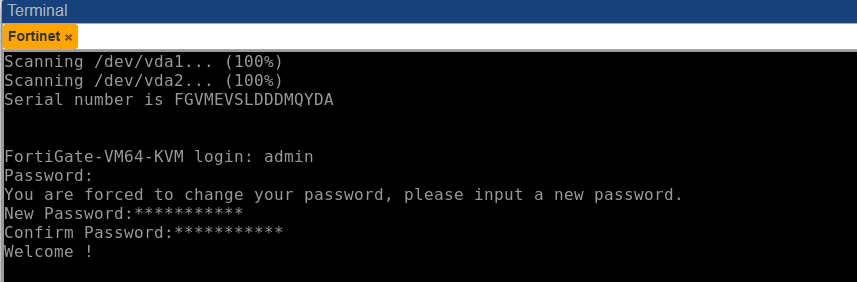
FortiFirewall-VM64-KVM login: admin
Password:  "kosongkan"
You are forced to change your password. Please input a new password.
New Password:
Confirm Password:
Welcome!

FortiFirewall-VM64-KVM # 
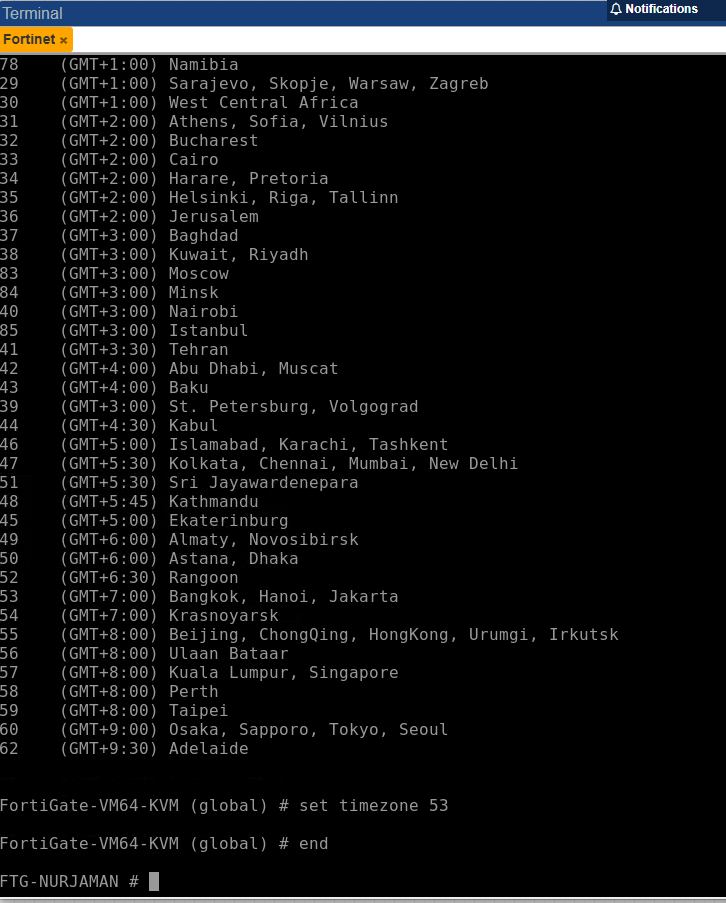
FortiFirewall-VM64-KVM # config system global

FortiFirewall-VM64-KVM (global) # set hostname FTG-NURJAMAN

FortiFirewall-VM64-KVM (global) # set timezone 53

FortiFirewall-VM64-KVM (global) # end

FTG-NURJAMAN # 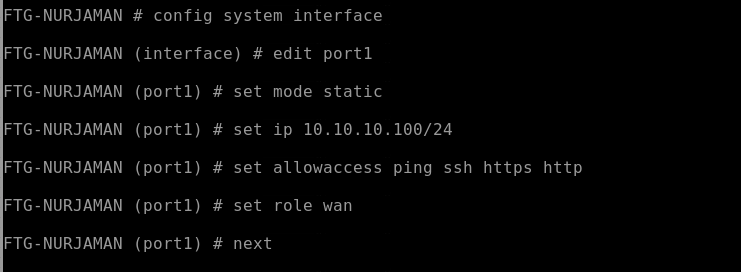
FTG-NURJAMAN #

FTG-NURJAMAN # config system interface

FTG-NURJAMAN (interface) # edit port1

FTG-NURJAMAN (port1) # set mode static

FTG-NURJAMAN (port1) # set ip 10.10.10.100/24

FTG-NURJAMAN (port1) # set allowaccess ping ssh https http

FTG-NURJAMAN (port1) # set role wan

FTG-NURJAMAN (port1) # set alias Internet

FTG-NURJAMAN (port1) # next

FTG-NURJAMAN (interface) #
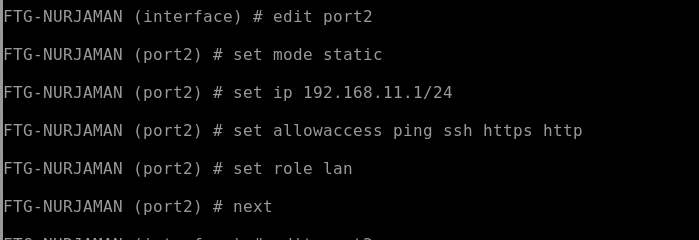
FTG-NURJAMAN (interface) # edit port2

FTG-NURJAMAN (port2) # set mode static

FTG-NURJAMAN (port2) # set ip 192.168.11.1/24

FTG-NURJAMAN (port2) # set allowaccess ping ssh https http

FTG-NURJAMAN (port2) # set role lan

FTG-NURJAMAN (port1) # set alias Lan

FTG-NURJAMAN (port1) # next
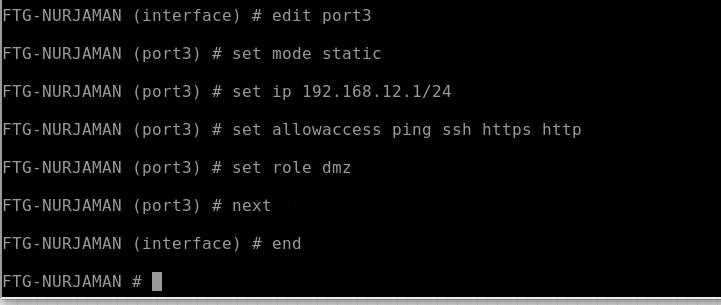
FTG-NURJAMAN (interface) # edit port3

FTG-NURJAMAN (port3) # set mode static

FTG-NURJAMAN (port3) # set ip 192.168.12.1/24

FTG-NURJAMAN (port3) # set allowaccess ping ssh https http

FTG-NURJAMAN (port3) # set role dmz

FTG-NURJAMAN (port3) # set alias DMZ

FTG-NURJAMAN (port3) # next

FTG-NURJAMAN (interface) # end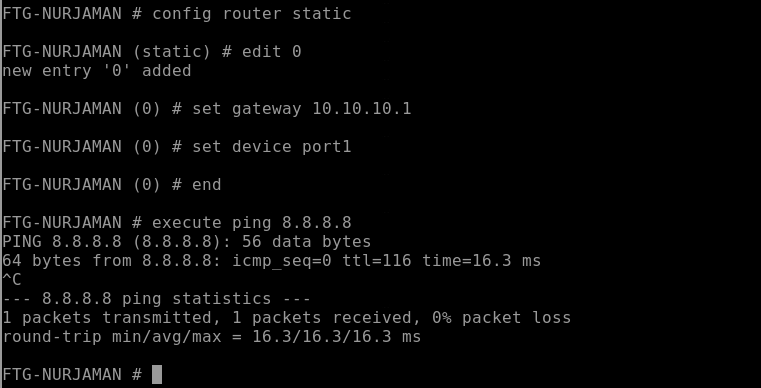
FTG-NURJAMAN # config router static

FTG-NURJAMAN (static) # edit 0
new entry '0' added

FTG-NURJAMAN (0) # set gateway 10.10.10.1

FTG-NURJAMAN (0) # set device port1

FTG-NURJAMAN (0) # end
The destination is set to 0.0.0.0/0 which means all IP addresses.

FTG-NURJAMAN # 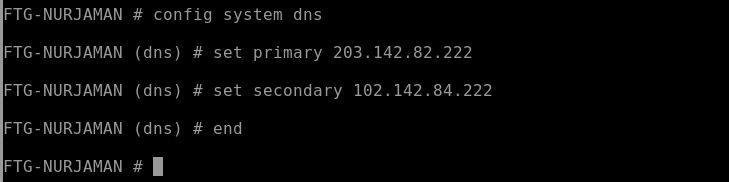
FTG-NURJAMAN # config system dns

FTG-NURJAMAN (dns) # set primary 203.142.82.222

FTG-NURJAMAN (dns) # set secondary 203.142.84.222

FTG-NURJAMAN (dns) # end

FTG-NURJAMAN #
Seting awal Fortigate di Virtual Mesin